Cornerstone Software for Video Color Correction and Editing
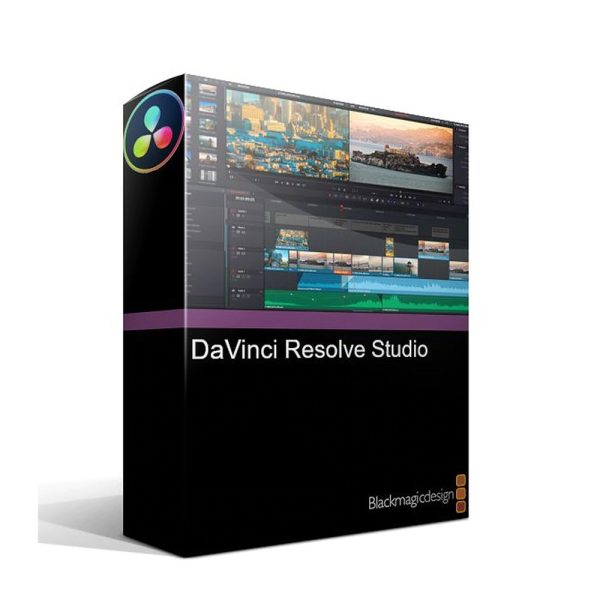
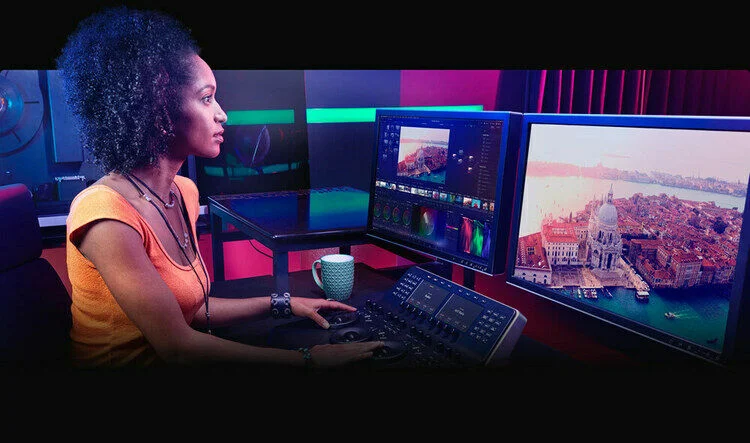
DaVinci Resolve Studio has a shining reputation as the go-to software for efficient color grading and video that pops. Blackmagic Design has also expanded the software with powerful nonlinear editing tools that make the software a true one-stop shop for post-production needs. You can edit video and audio, color correct, finish, and deliver a final product — all from one screen. It even allows you to import projects as XML files from other NLEs, including Premiere Pro. Essential tools are grouped in a streamlined tab-based system that keeps features hidden when you don’t need them, so the software has a clean look and feel that’s simultaneously optimized for individual users, large teams, and even studio owners. Beneath the hood, there are dozens of pro-ready features, including collaborative timelines for multi-editor operations and automatic scene detection, that let content creators and production houses repurpose older content at lightning speeds. Other notable features include 4K output, top-notch temporal and spatial noise reduction, and 3D tools, just to name a few. What’s more, unlike other NLE video software, DaVinci Resolve Studio is a one-time buy — no subscription fees or recurring payments!
Note: This product is a download of the latest version of DaVinci Resolve Studio. DaVinci Resolve Studio is compatible with Mac, Windows, and Linux. If you have any questions, please contact your City Music Sales Engineer.
Fast tab-based workflow
Resolve’s tab-based workflow divides post production into convenient categories. With key tabs like Media, Cut, Edit, Deliver (export), Color, and Fairlight Audio, it’s easy to stay organized and on task. Tabs largely mirror the natural flow of the post process; group and organize raw footage in Media; trim the fat in Cut; fine-tune in Edit; optimize footage in Color; tackle audio in Fairlight; finally, use the Deliver tool to export. What’s more, the software’s smart trimming tools are sensitive to context; tasks take fewer clicks to accomplish, and DaVinci only puts the tools you need on-screen at any given time. With a simple repositioning of the mouse, functions like extend, shorten, ripple, roll, and slide are always close at hand and right on the timeline. In other words, less clutter means more focus! City Music producers love the tab-based system. It helps both individual and group project workflows run faster than ever. For instance, if you’re a pro videographer but are planning on contracting a professional sound engineer for audio, you can use DaVinci Resolve Studio for editing and color grading without ever looking at the Fairlight Audio mixer. Resolve Studio even allows multiple people to work together on the same timeline concurrently, which is perfect for large, specialized teams.
Masterful metadata and editorial tools
Beyond outstanding color and editing tools, Resolve offers advanced media management that’s perfect for big projects and precise editorial workflows. You can move, copy, consolidate, relink, and archive media, timelines, or entire projects. Resolve’s clone tool can back up essential camera files on location for easy copying to multiple destinations, with optional checksum validation for added security. Resolve offers tons of ways to edit metadata, sync sound, and generally prep footage for editing, grading, or visual effects at the very beginning of post production.
Industry-standard color grading
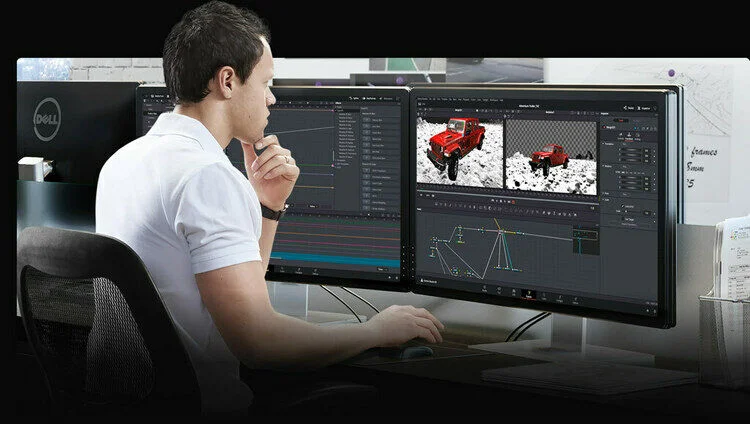
Resolve Studio uses node-based grouping to break similar layers down for editing. Each node can have color grading plus effects, power windows, keys (with 3D), mixers, plug-ins, and more. There are limitless possibilities for seasoned professionals working on work-related or passion projects, in addition to handy automatic tools like color matching that busy content creators will get plenty of mileage from. For processing, Resolve leverages cutting-edge 32-bit floating point and a unique YRGB color space for grading. Together, these tools yield unprecedented color-correction range, with enough power to adjust video luminance gain without rebalancing whites, mids, or blacks. Footage can be altered to create stunning stylistic statements or merely enhanced for pleasing colors that pop. And the best part? Resolve works from your camera originals, so whatever you create is a first-generation graded copy of the original raw files with maximum definition.
Powerful hardware and software compatibility
Resolve supports multiple GPUs working together for scalable processing power and swift graphics renderings. You can use it with multi-GPU systems such as the Mac Pro, or you can build a dedicated Windows system with up to three GPUs onboard. Resolve Studio also integrates neatly with dozens of media workstation software. It can share sequences and round-trip projects with Final Cut Pro X, Media Composer, and Premiere Pro, as well as Pro Tools and other editing, audio, and VFX and motion graphics software. Furthermore, Resolve reverses any quality loss that arises from working in third-party software. Simply use an XML, AAF, or EDL export to restore your camera raw files and finish in greater bit depth. Resolve offers networked remote rendering and can deliver drafts and finished projects at practically any resolution or format — perfect for sending rough cuts to stakeholders, potential collaborators, and management. For even more enhanced workflow and precise color correction, Blackmagic Design also makes available an award-winning Resolve Advanced Panel hardware controller (sold separately).
Blackmagic Design DaVinci Resolve Studio Features:
Digital download of the latest version of DaVinci Resolve Studio
Get permanent software ownership — no subscription fees!
Comprehensive post-production tools include NLE, audio, and color grading
Optimized for both individual users and large teams with collaborative tools and advanced remote options
Tab-based interface delivers a clean user experience with a natural workflow
Top-notch node-based color grading with limitless tools for correction, enhancement, and optimization
Editorial-friendly metadata management and distribution features, including ranked priority export queues
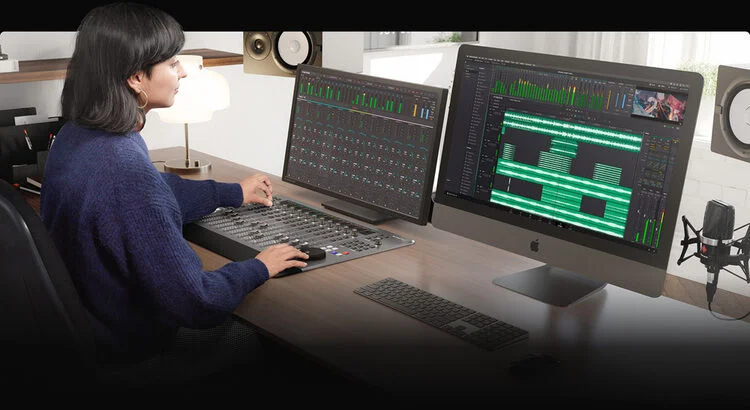
Full Fairlight audio mixer section offers premium mixing tools, including audio plug-in compatibility
Multi-cam sync support
Scalable processing with support for multi-GPU systems
Share projects with other editing software, including Final Cut Pro X, Media Composer, Premiere Pro, and Pro Tools
Mac, Windows, and Linux compatibility
Software Type
Video Editing
Platform
Mac, PC
Upgrade/Full
Full
Download/Boxed
Download
Format
Standalone
Hardware Requirements - Mac
8 GB RAM (16 GB when using Fusion), Apple Silicon CPU or GPU that supports Metal
Hardware Requirements - PC
16 GB RAM (32 GB when using Fusion), GPU with 4 GB VRAM
OS Requirements - Mac
macOS 14 or later
OS Requirements - PC
Windows 10 or later
Reviews
There are no reviews yet.
Be the first to review “Blackmagic Design DaVinci Resolve Studio Color Correction and Video Post-production Suite (Download)”Cancel Reply






Reviews
There are no reviews yet.